
Support
Our support team is ready to assist with any questions while using our apps.
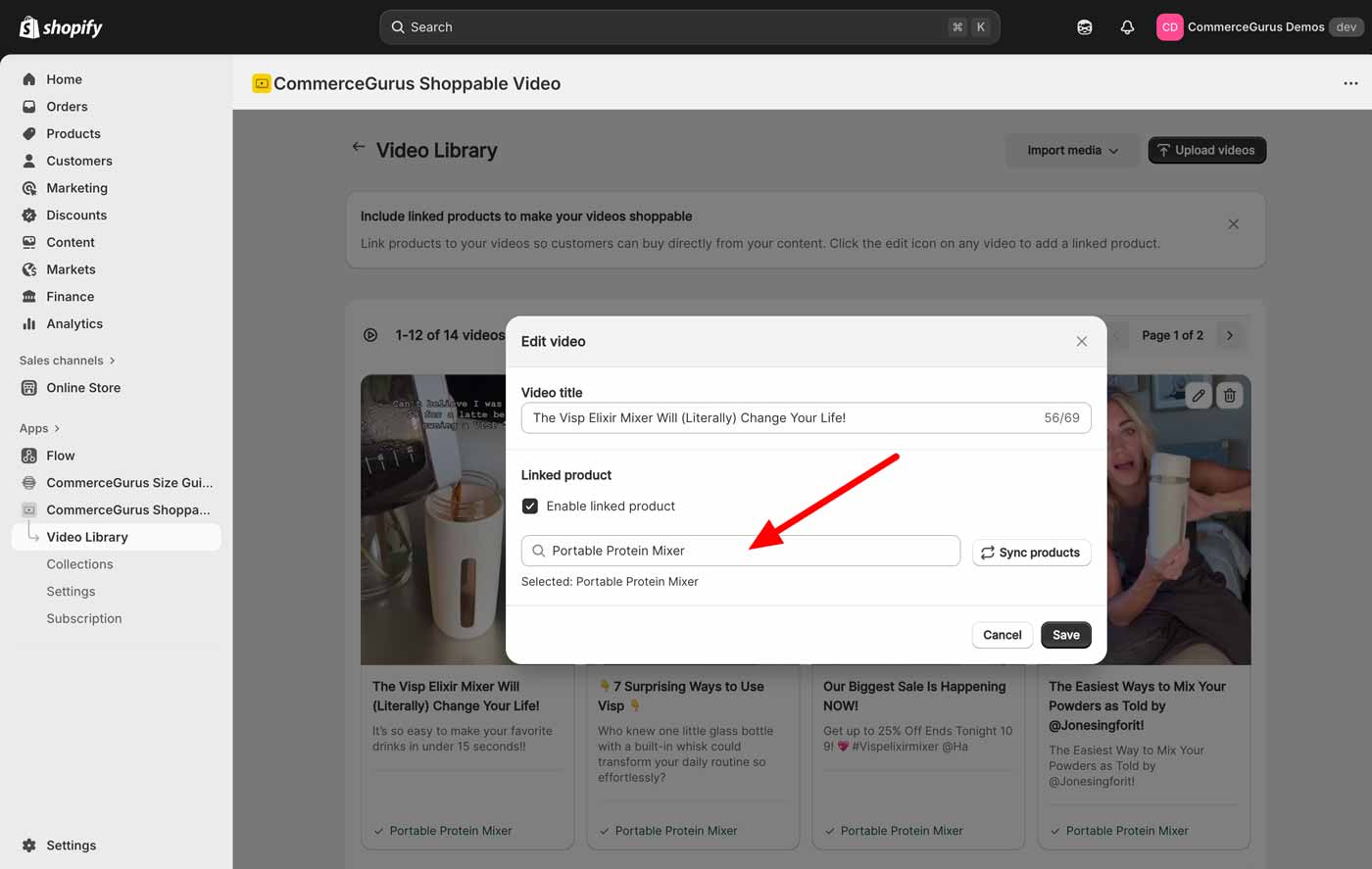
This is optional but we highly recommend connecting a linked product to each video you upload. This makes your video shoppable by displaying the product thumbnail, title, price, and add-to-cart button alongside the video.
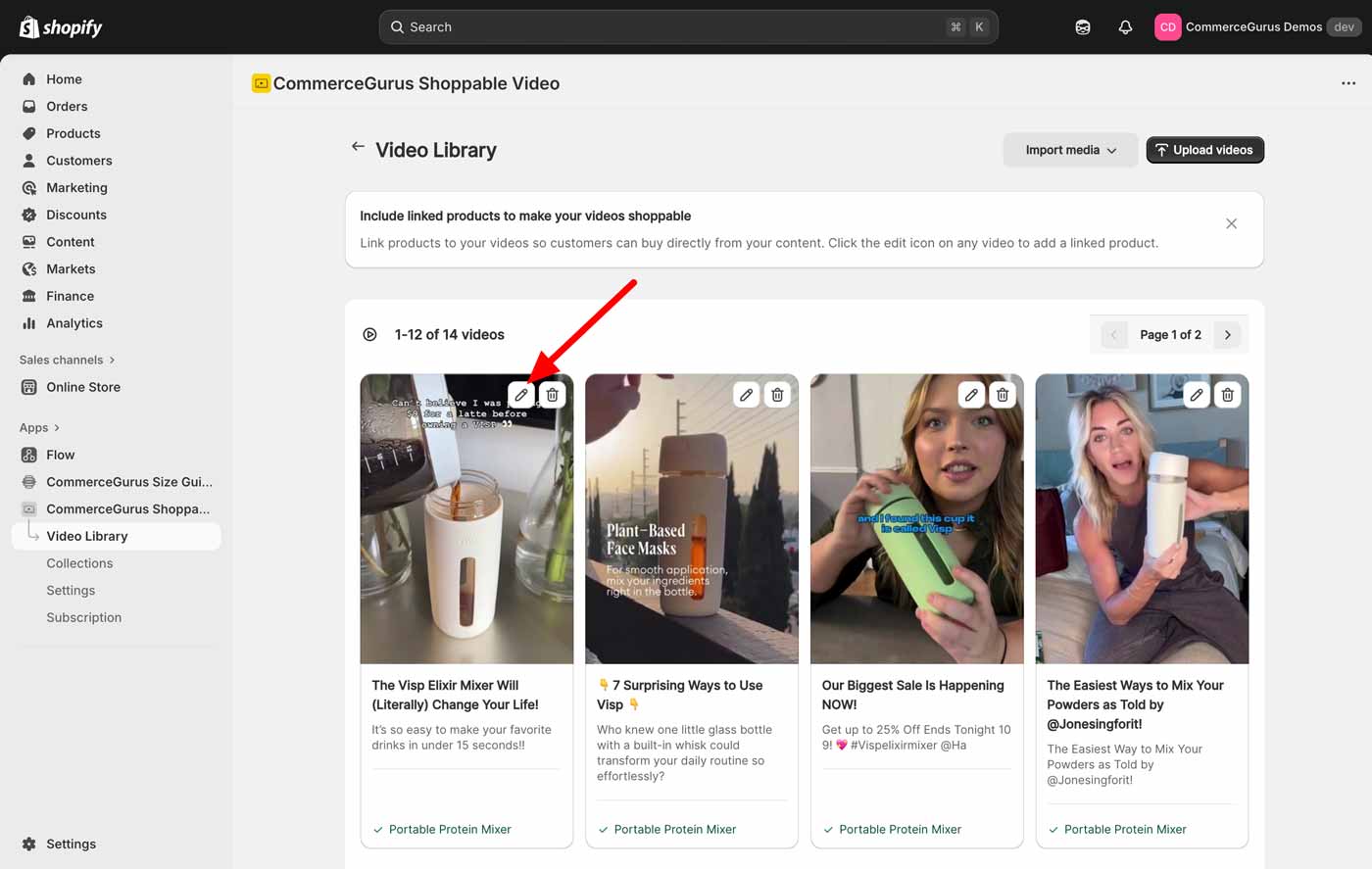
Navigate to the Video Library area, then hover over a video and click on the pen icon to open the Edit video modal.
Within the modal, you can click on the Linked product input field to display a list of the products in your store. Scroll through and select the product you would like to attach to your video.